After you finish signing the document on your mobile device, you can share the completed PDF file with others through email and other apps.
Please follow the simple steps below:
1. Go to the “Completed” section and find the file you want to share.
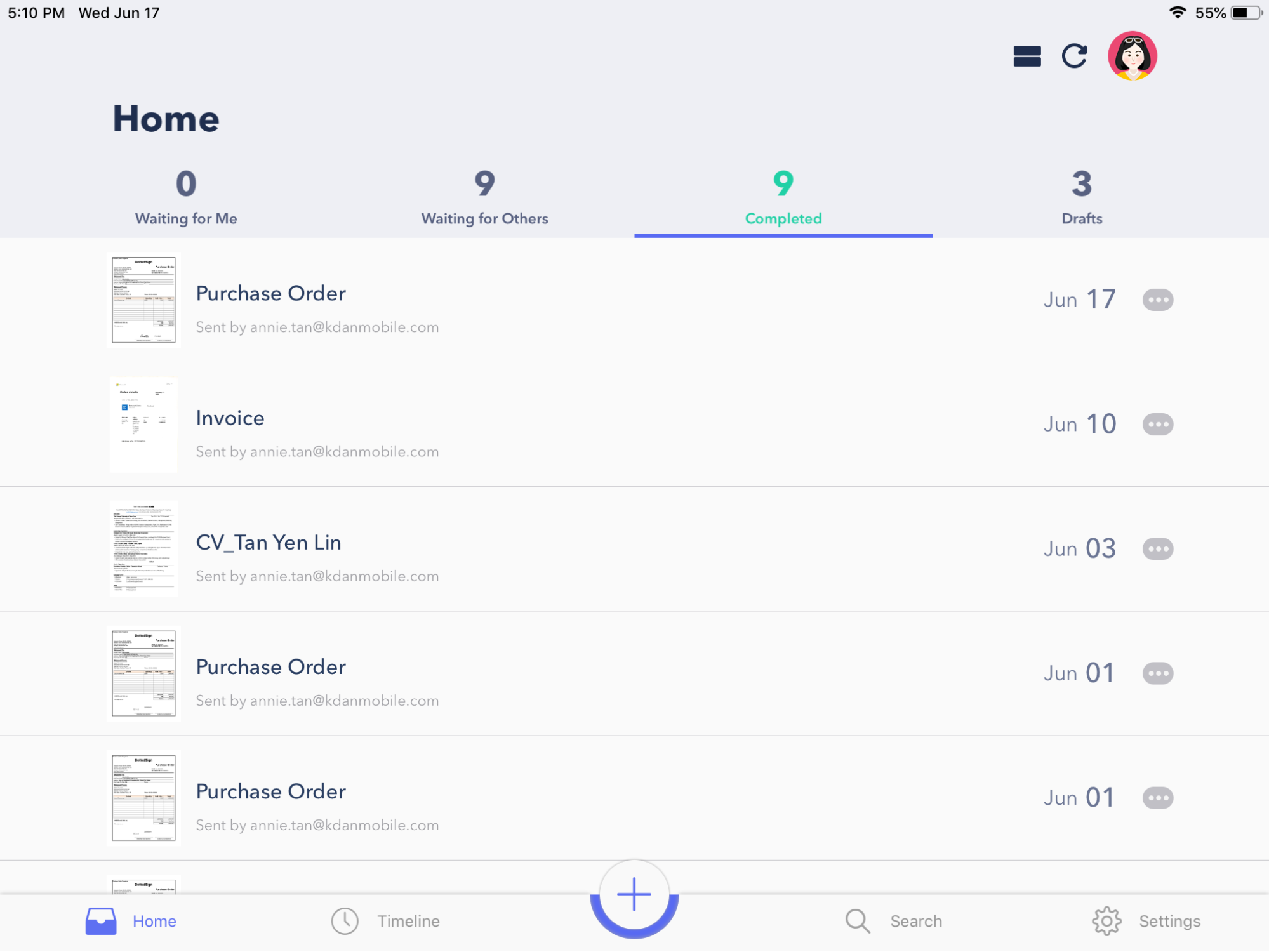
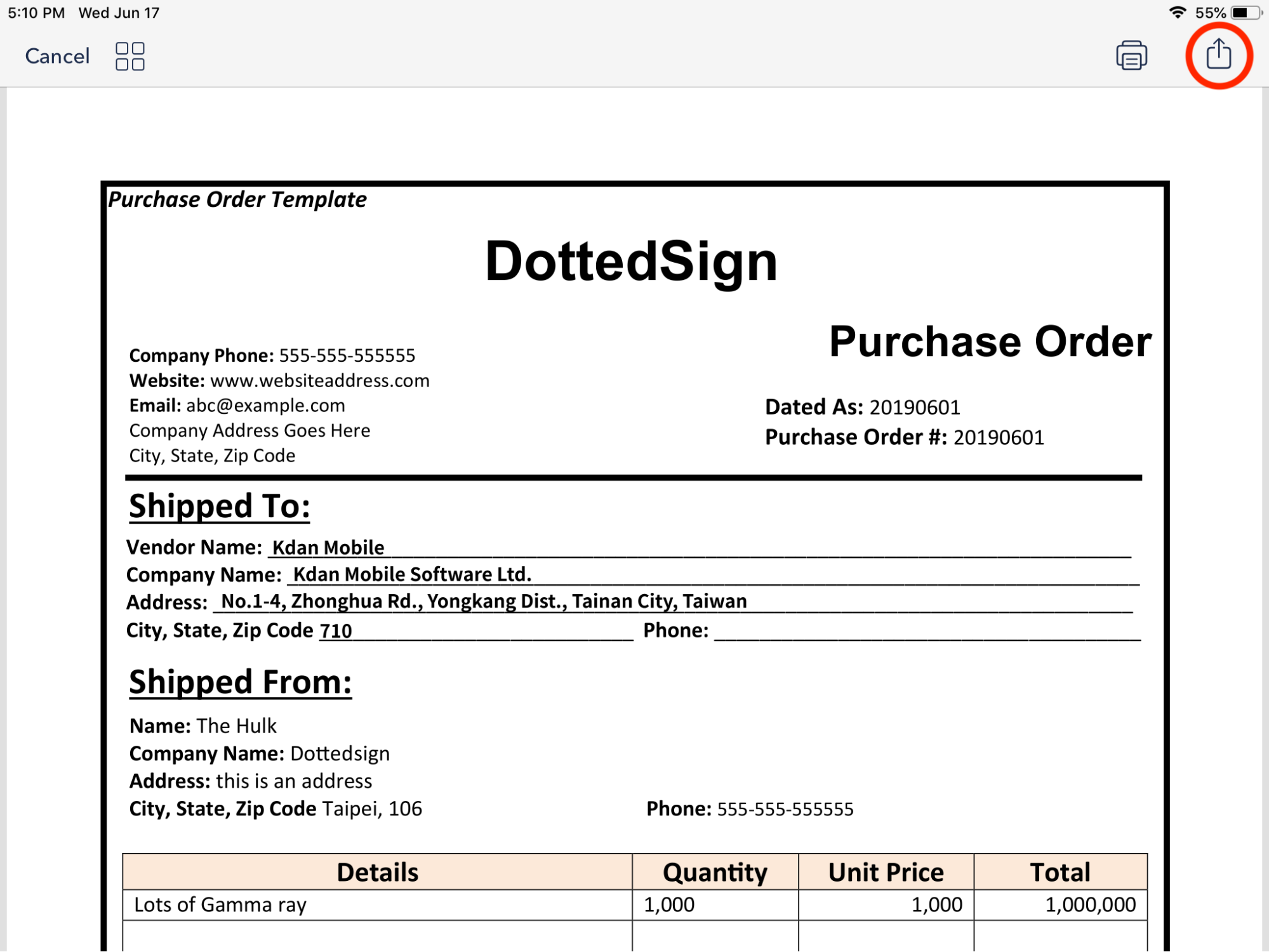
2. Click and open the document. Then, click the “Share” icon on the top right side.
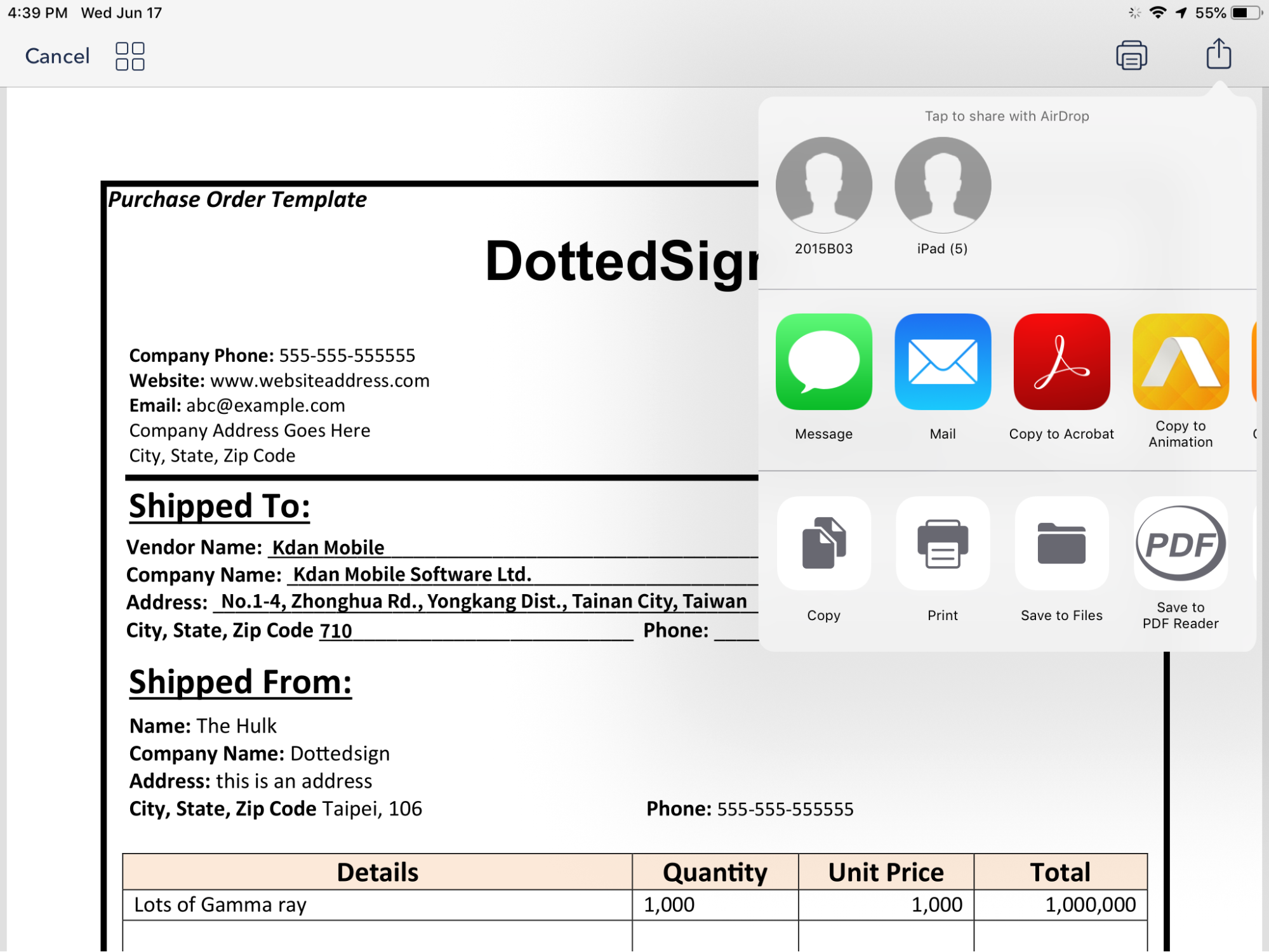
3. You can now share the completed document by email or other apps.
Reference:
- How to create a task and get other's signatures
- How to create a task and sign yourself
Updated